General Diagnostics via Reader User Interface
To perform general diagnostics on a per reader basis browse directly to the reader itself.
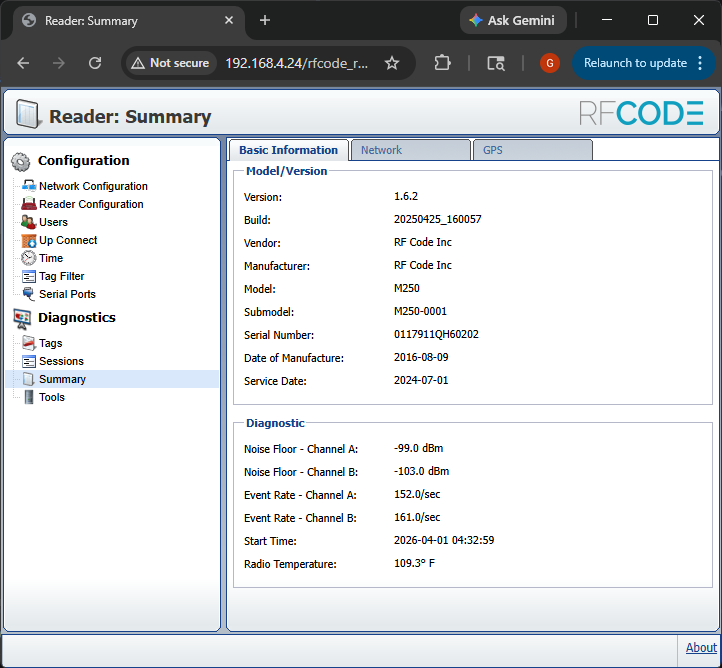
Browse to the Summary section to view firmware version, Serial Number, noise floor for each antenna.
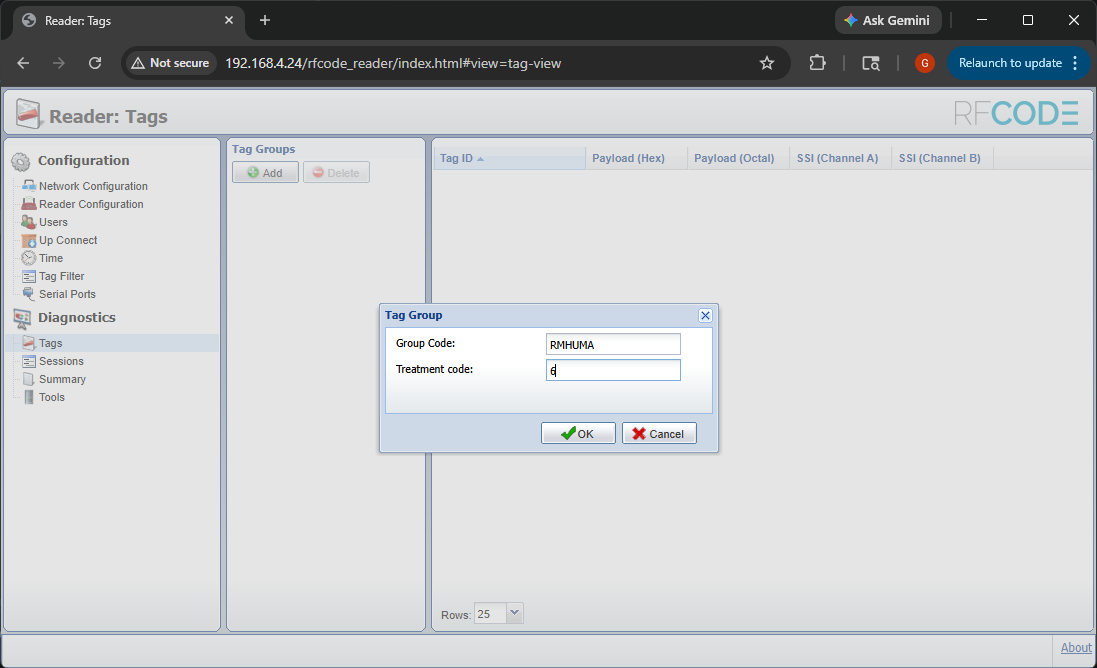
For troubleshooting tags that are being read by the reader browse to the Tags section. Click on Add and enter the group code and treatment code and click ok.
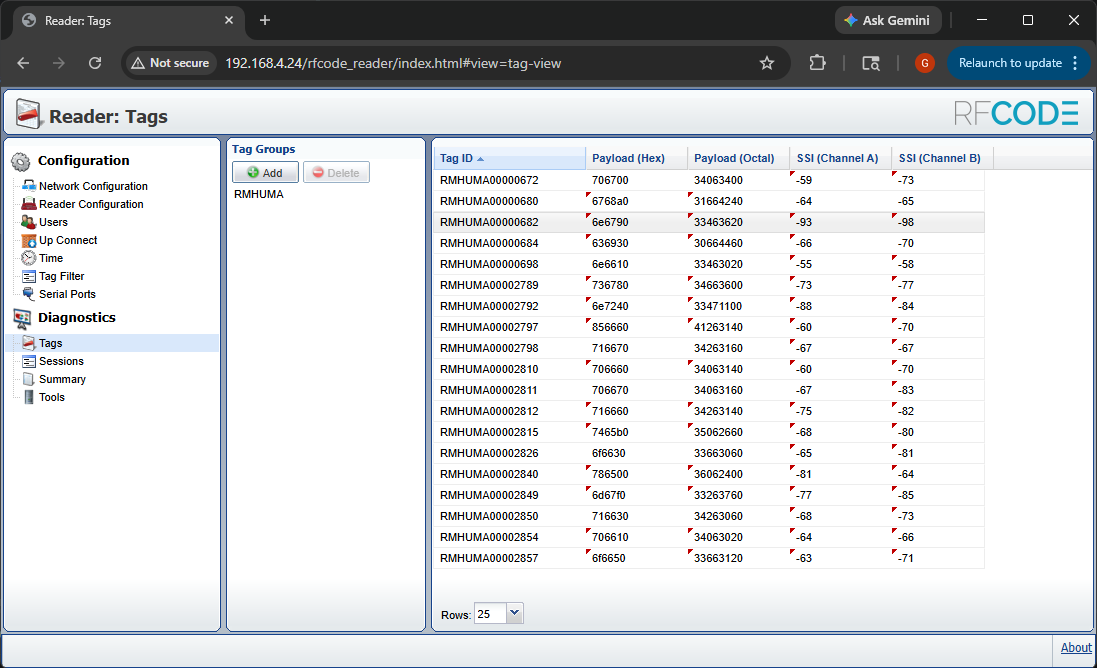
Tags that are being read by the reader will start to populate in the window. Most notably SSI levels can be viewed from each channel of the reader.