Availability Operations
Promoting a Standby Server to Active
To promote a standby server to primary this can be done one of the following ways:
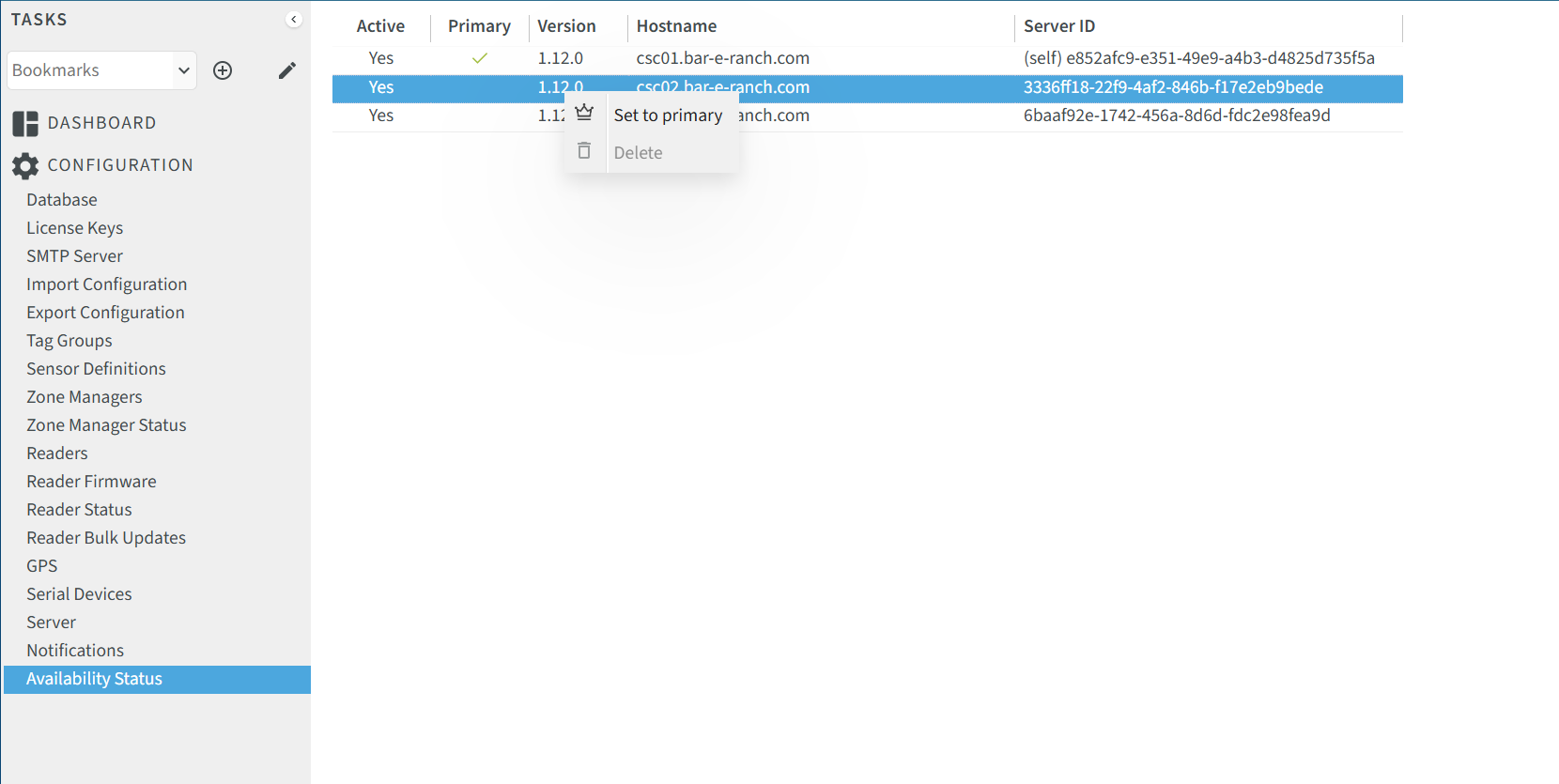
- Login to the primary server and go to Configuration->Availability Status, right click on the standby server to promote and select "Set to Primary".
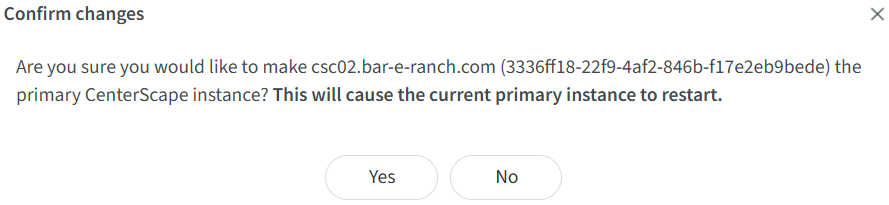
This will bring up a pop up dialog confirming the choice. By clicking yes the current primary server will become a standby server and the selected standby server will be promoted. The UI will also kick the user out. This may take up to 1 minute.
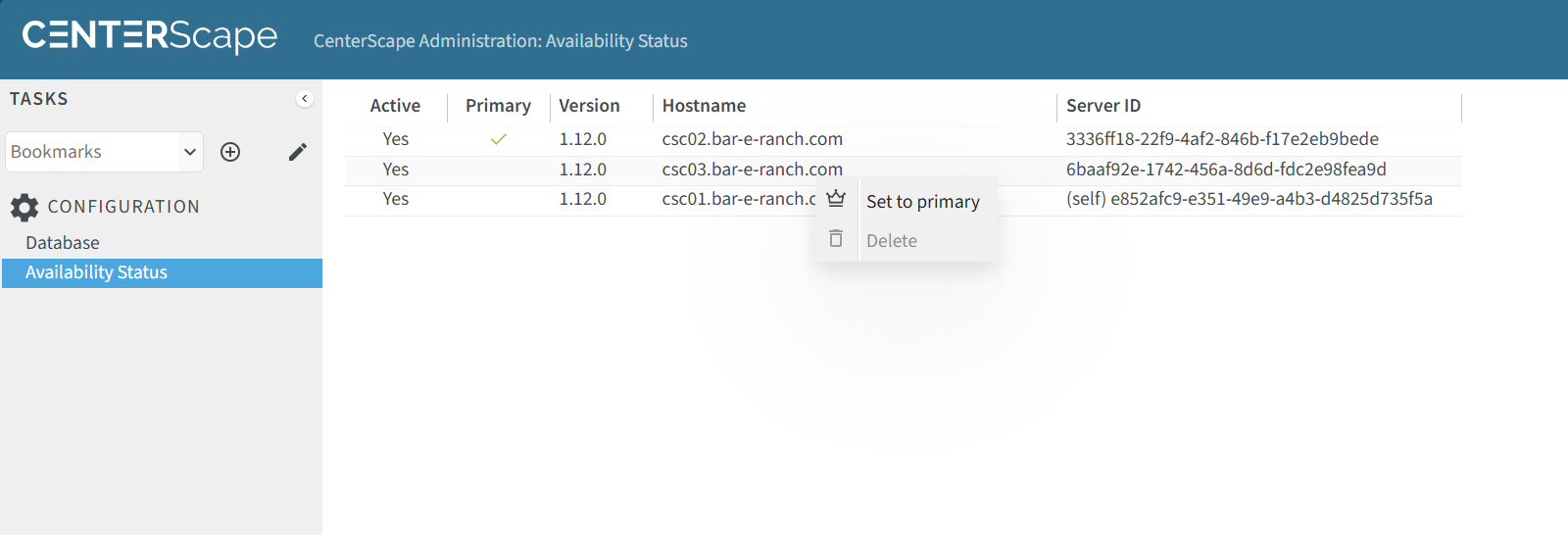
- Login to any active standby server. Select Configuration->Availability Status. The menu is more limited than the active in that only Database and Availability Status are selectable options on a Standby server. Right Click on the standby server to promote and select "Set To Primary".
Monitoring the Availabilty Status
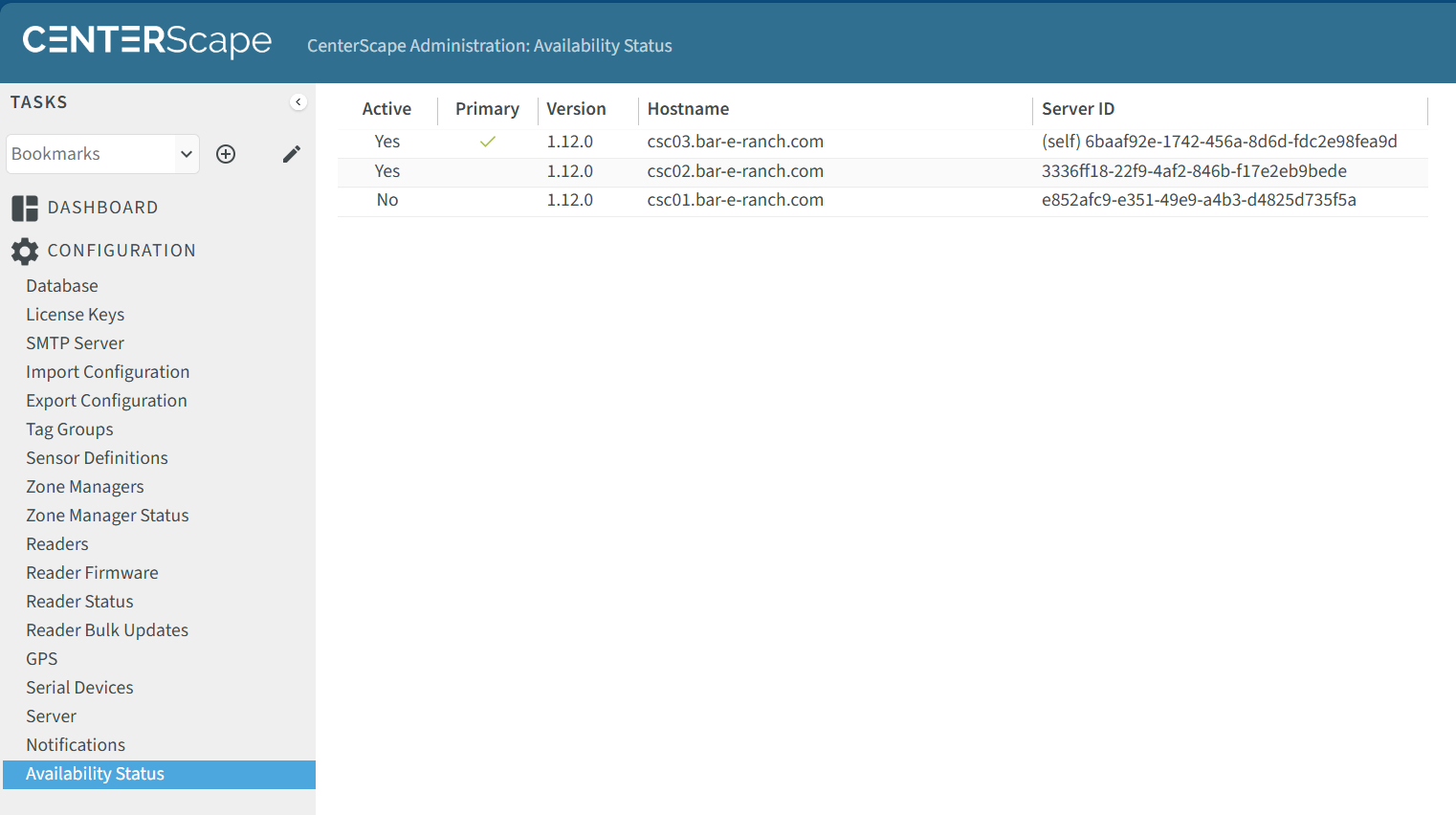
The Active Attribute for standby servers and active servers will be set to "Yes" if the server has checked into the heartbeat function at least once every ten minutes. If a standby server or primary server has not checked in then the Active Attribute will be set to "No". Servers with Availability Status set to "No" cannot be promoted to Primary.
Deleting a Standby Server
Decommissioned Standby servers can be removed from the Availability list after the heartbeat expires 10 minutes after the app server is no longer checking in. To remove a Standby Server right lick on the server that is to be removed and click Delete.
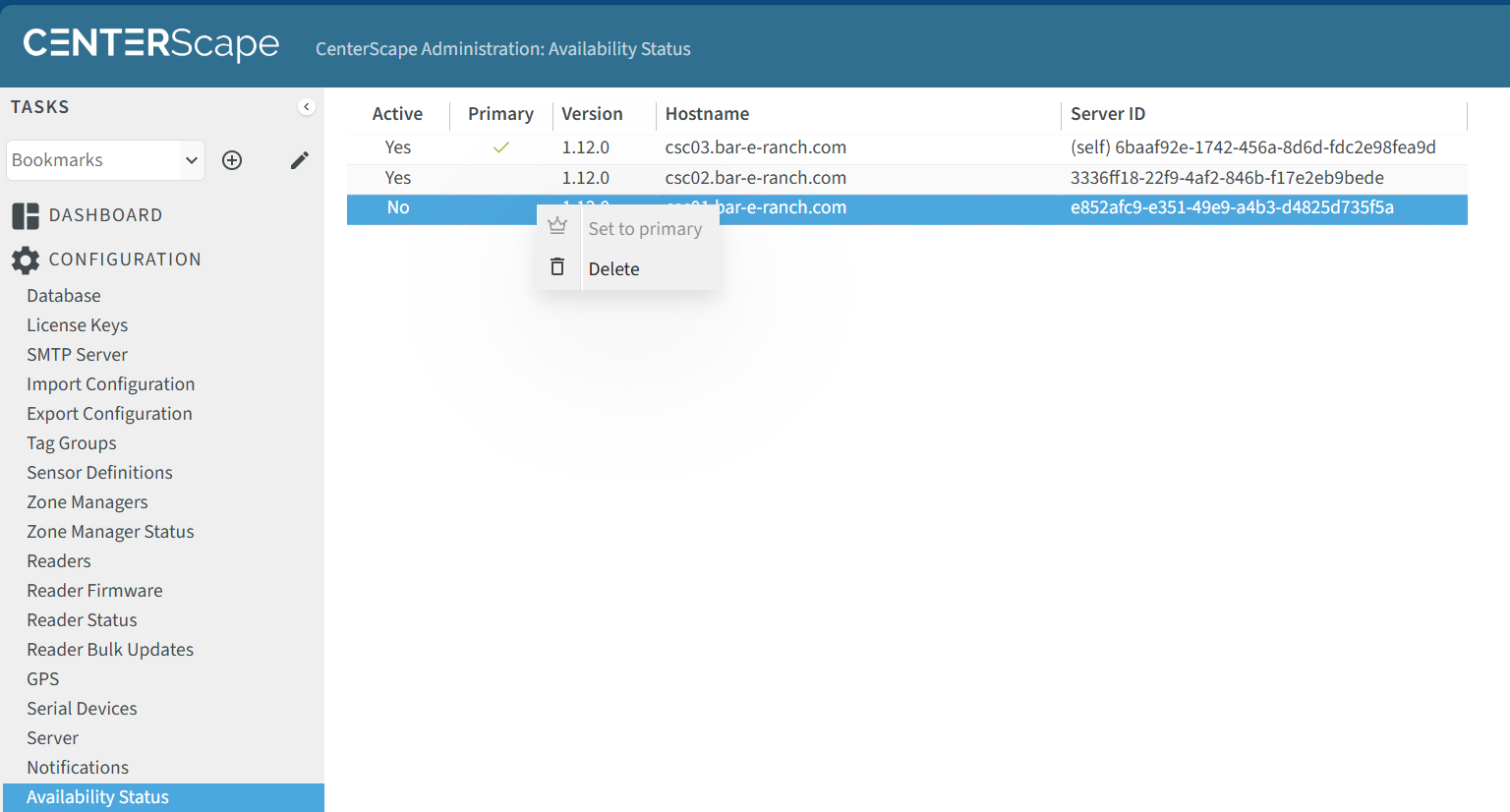
_Note: If the App Server that is deleted reconnects to the Database, it will once again be added to the availability list.
Upgrading CenterScape with Standby Servers
Standby Servers must be at the same version of CenterScape as that of the primary server. The primary server can be upgrade first or Standby Servers can be upgraded. If upgrading the primary server is done first then the standby servers that remain downlevel will not be able to be promoted to primary until they are updated as well. If a standby server is upgraded first it will be available to be promoted to. When it is promoted to primary it will upgrade the database schema and the remaining standby servers will need to be updated with the new version of CenterScape before they can be promoted to primary.