Alert Basics
CenterScape features an alerting capability that uses thresholds to search for violations and then when those violations are found, creates an instance of an alert while simultaneously delivering notifications about the alert through various means. There are three components to alerting in Centerscape.
- The Threshold
- The Alert Action
- The Alert Instance
The Alert Threshold is a filter that runs against a set of assets or infrastructure objects looking for a match. When the filter is matched that is a violation and an alert instance is created. The Alert Instance will exist as long as the threshold matches. Additionally the threshold can execute a set of alert actions associated with the threshold. These can range from emails, SNMP traps, logging actions and HTTP/S Posts to web services.
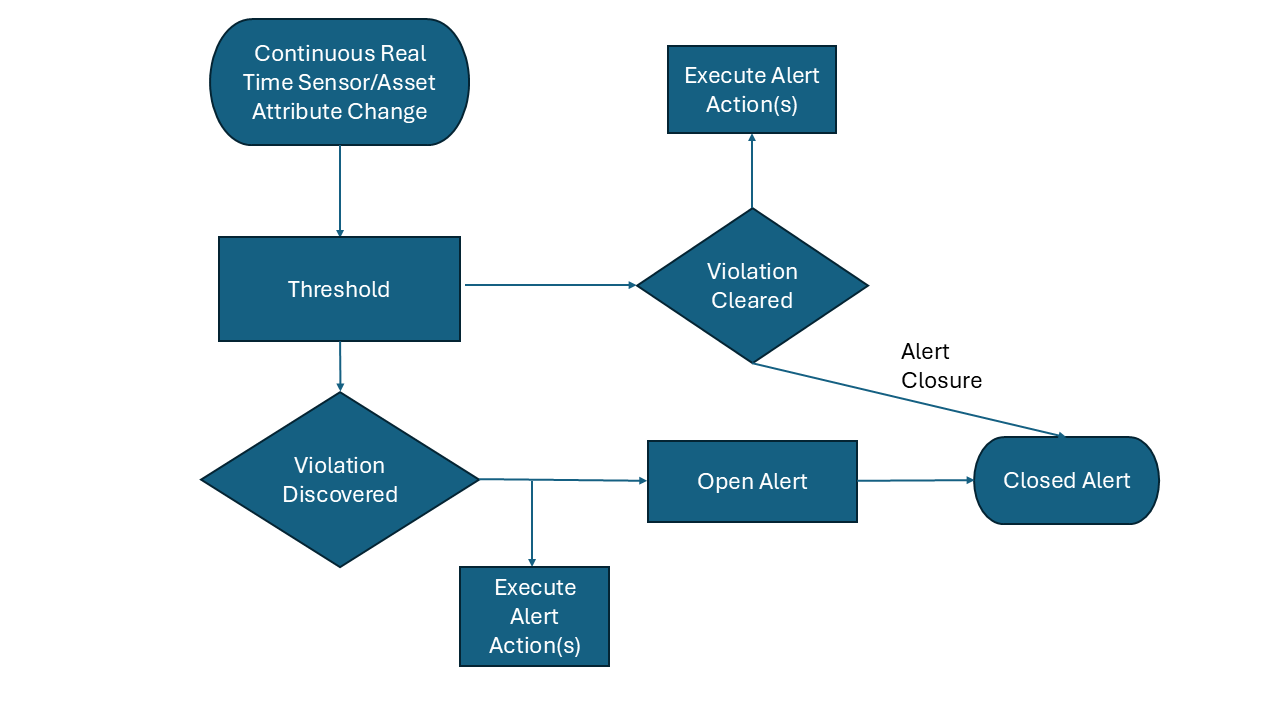
In the below diagram as sensors and asset have attribute changes these changes are routed through the alert engine to see if any of the changes constitute a threshold violation. If the threshold is violated then any associated alert actions are executed and a new alert instance is created with a state of open. If attribute changes cause a threshold to be cleared then Alert Actions may be executed if configured and the alert state changes to closed.
It is possible for a threshold to create many alerts. For example if ten temperature sensors exceed a threshold then ten alerts will be created if the alert filter target is sensors. In the below case three Temperature Sensors violated the same threshold so there are three open alerts that were created.
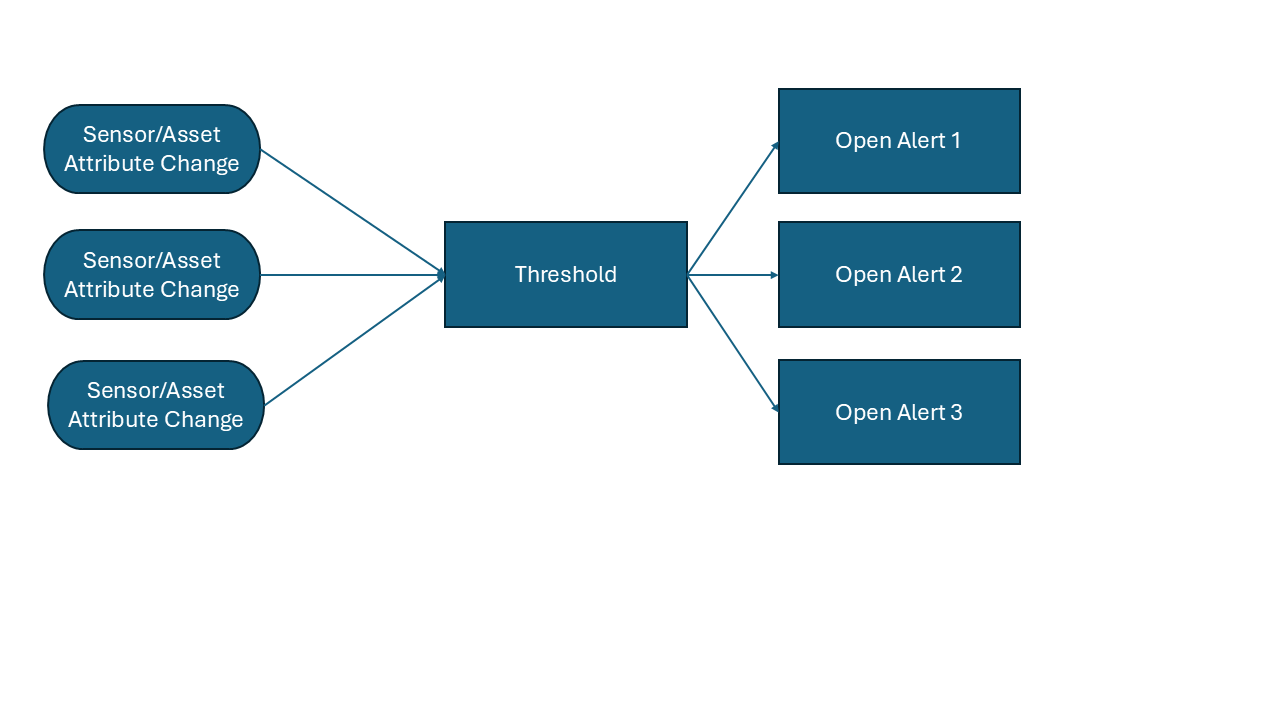
_Note: Only one open alert per threshold per sensor/asset is possible. Duplicate alerts by the same threshold on the same asset is not possible.