Deleting History from Database
In some use cases the size of the Database that CenterScape uses may need to be reduced. CenterScape supports removing history tables as a way to lower the amount of data that is stored in the database server. This is done from the database software and is not part of the CenterScape application. The method involves dropping history tables in order of oldest to newest. The history table for the current month and previous month to the current month cannot be dropped or it will affect the stability of the software.
MS SQL Server
In Microsoft SQL Server, using the SQL Managment Studio, the procedure is to access the database with an "sa" or "dbowner" level account. Once in the management studio expand the tree to the (Database Name)->Tables selection. Add the columns Index Space Used (KB) and Data Space Used (KB) to the columns. These columns will communcicate how much space each table is using in the database.
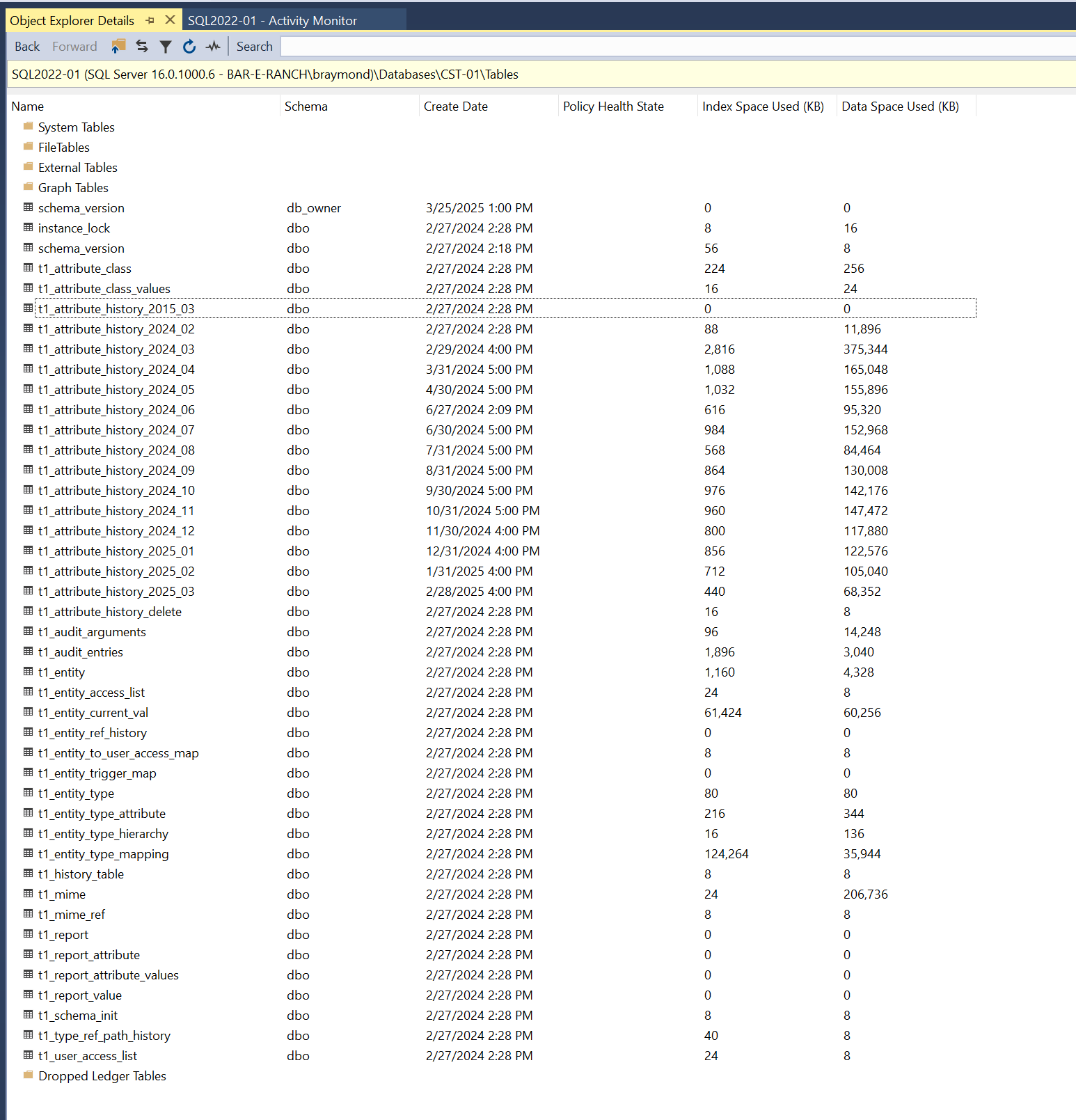
The history tables are named t1_attribute_history_YEAR_MONTH where each table represents a month of data collection. All data is in the history table. This includes history for alerts, asset location, online status, sensor data, and reader performance history. When a table is dropped all the history for that month is lost, but the amount of storage equivalent to the sum of the Index Space plus the Data Used Space will be freed and made available. The tables can be deleted with CenterScape running but the CenterScape service should be restarted after the tables have been deleted.
Procedure:
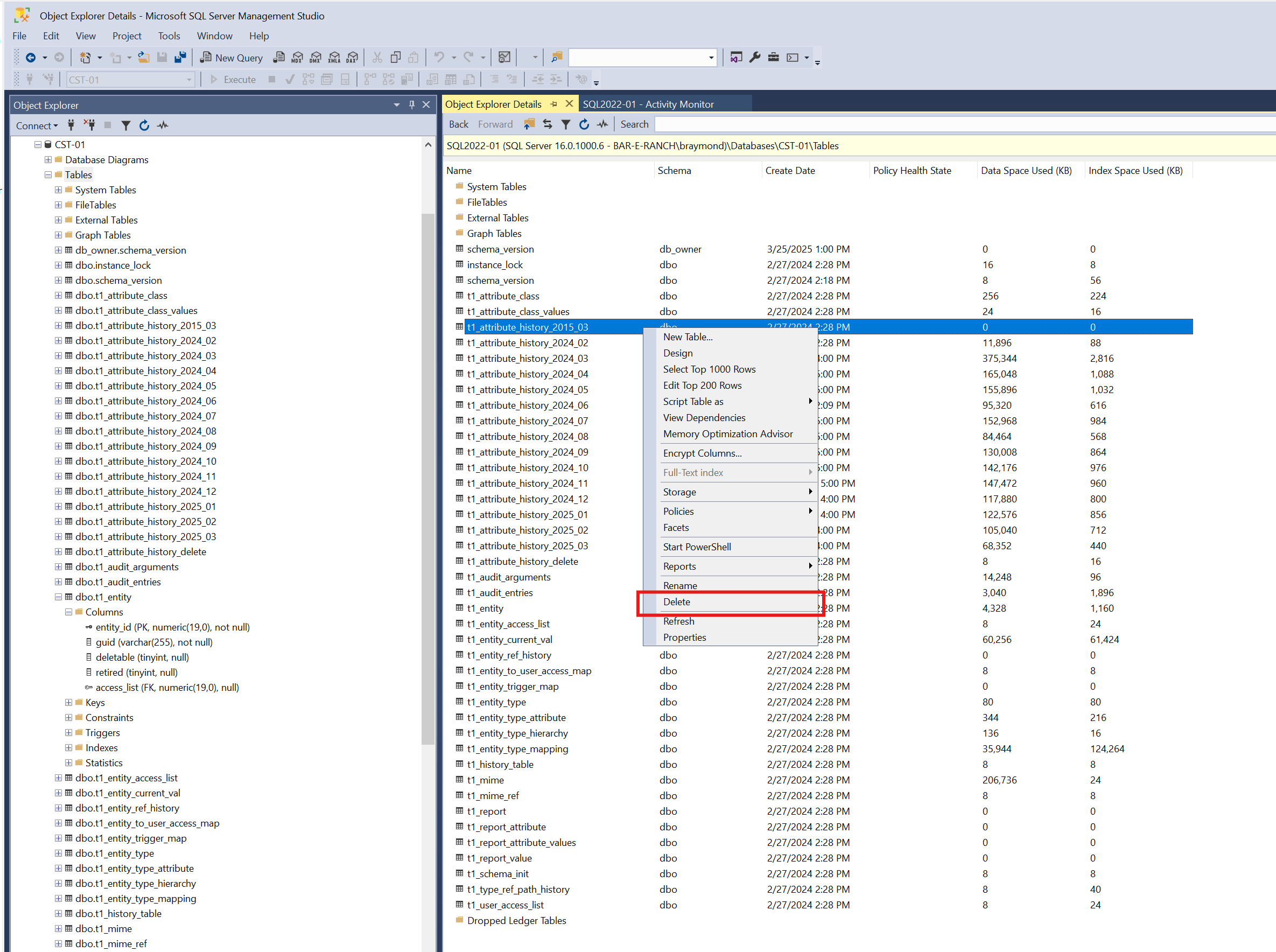
Delete the tables from oldest to newest by right clicking on the table and selecting delete.
Do not delete the table for the current month or previous month to the current month.
After the tables have been deleted, restart the CenterScape Service on the application server that runs CenterScape.