User Roles
CenterScape User roles are additive in nature. They are applied across all locations and assets. Users can be granted multiple roles.
Role list
-
Asset Viewer - Asset viewer is the lowest level role available. Asset viewer can view assets, dashboards, asset attribute history, and maps. They do not have access to alerts or the ability to change values on assets.
-
Asset Reporter - Asset Reporter has all the access of an asset viewer plus the ability to create, modify and view reports. They cannot delete reports, nor can they modify attributes on assets.
-
Asset Reporter, Alerts, & Events - This user has the same access as asset reporter but can view active and closed alerts.
-
Asset Editor - Asset Manager has can add as well as update attributes on assets. They cannot delete or retire assets. The role can also Create, Alter and Delete reports, dashboards and graphs as well as their associated actions. Asset managers can also view, but not alter alerts.
-
Asset Manager - Asset Managers have all the privileges of Asset Editors plus the ability to manage alerts and events, delete and retire assets. Asset Managers can also use the tag management function of CenterScape.
-
Read Only Administrator - The Read Only Administrator role has all the privileges of the Asset Manager role plus the ability to view the admin console. All "Asset Roles" are limited to the user console
-
Application Administrator - This role is can manage most administrative tasks except managing readers, zone managers and database connectivity.
-
System Administrator - This account can do everything in CenterScpe
User Role Matrix
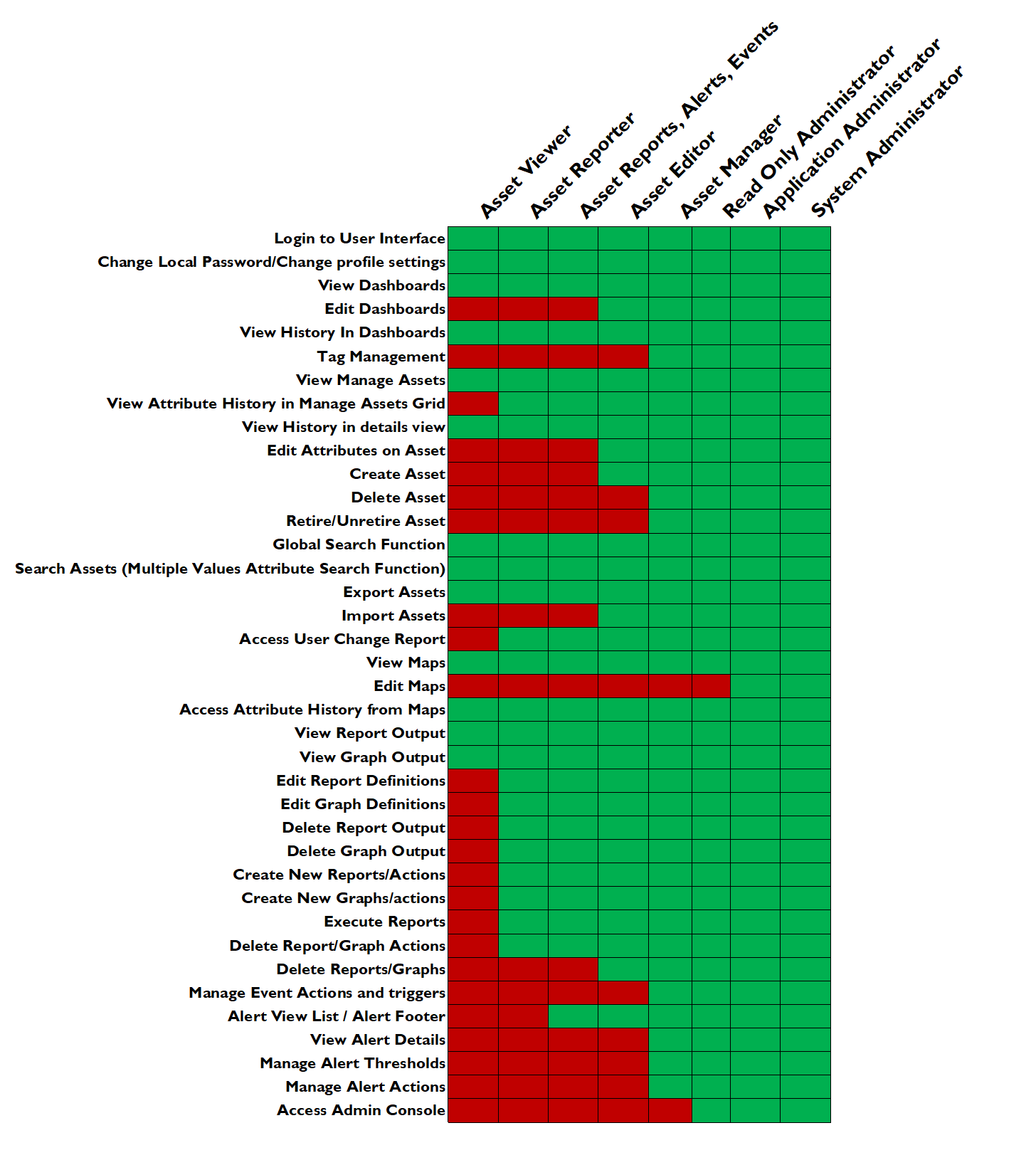
Admin Role Matrix