Modbus Integration
MODBUS is a client/server data communications protocol at the application layer. It was initially designed for use with programmable logic controllers, but has become a de facto standard communication protocol for communication between industrial electronic devices in a wide range of buses and networks. Modbus is popular in industrial environments because it is openly published and royalty-free. It was developed for industrial applications and is relatively easy to deploy and maintain compared to other communication standards of its time. Modbus places few restrictions on the format numeric data to be transmitted so many type of information can be communicated over the protocol. The Modbus protocol uses serial communication lines, Ethernet, or the Internet protocol suite as a transport layer.Modbus supports communication to and from multiple devices connected to the same cable or Ethernet network. CenterScape publishes MODBUS data over TCP. Virtually all live information within CenterScape can be published via the MODBUS interface, but due to the dynamic nature of CenterScape's sensors, "MODBUS points" as they are generally referred to are configured dynamically in the CenterScape administrative console which is different than more common MODBUS use cases where MODBUS is used to publish information on a device basis. For example a CRAC unit may be capable of communicating via MODBUS. It will have common Modbus datapoints that are predefined and well documented. Things like fan speed, chilled water temperatures, water flow rates etc, will be common across the same model for a particular vendor. This allows a predefined MODBUS mapping to be provided to end users. CenterScape on the other hand, can have 20 temperature sensors or 50,000 temperatures sensors, as well as doors sensors, dry contact, fluid detects, voltage sensors, and more. Synthetic data derived from multiple sensors can also be published via MODBUS TCP.
Configuring Modbus
The most common application of MODBUS publishing on CenterScape is that of temperature and humidity sensors. The following guide will demonstrate how to publish a set of sensors in a location via ModBus.
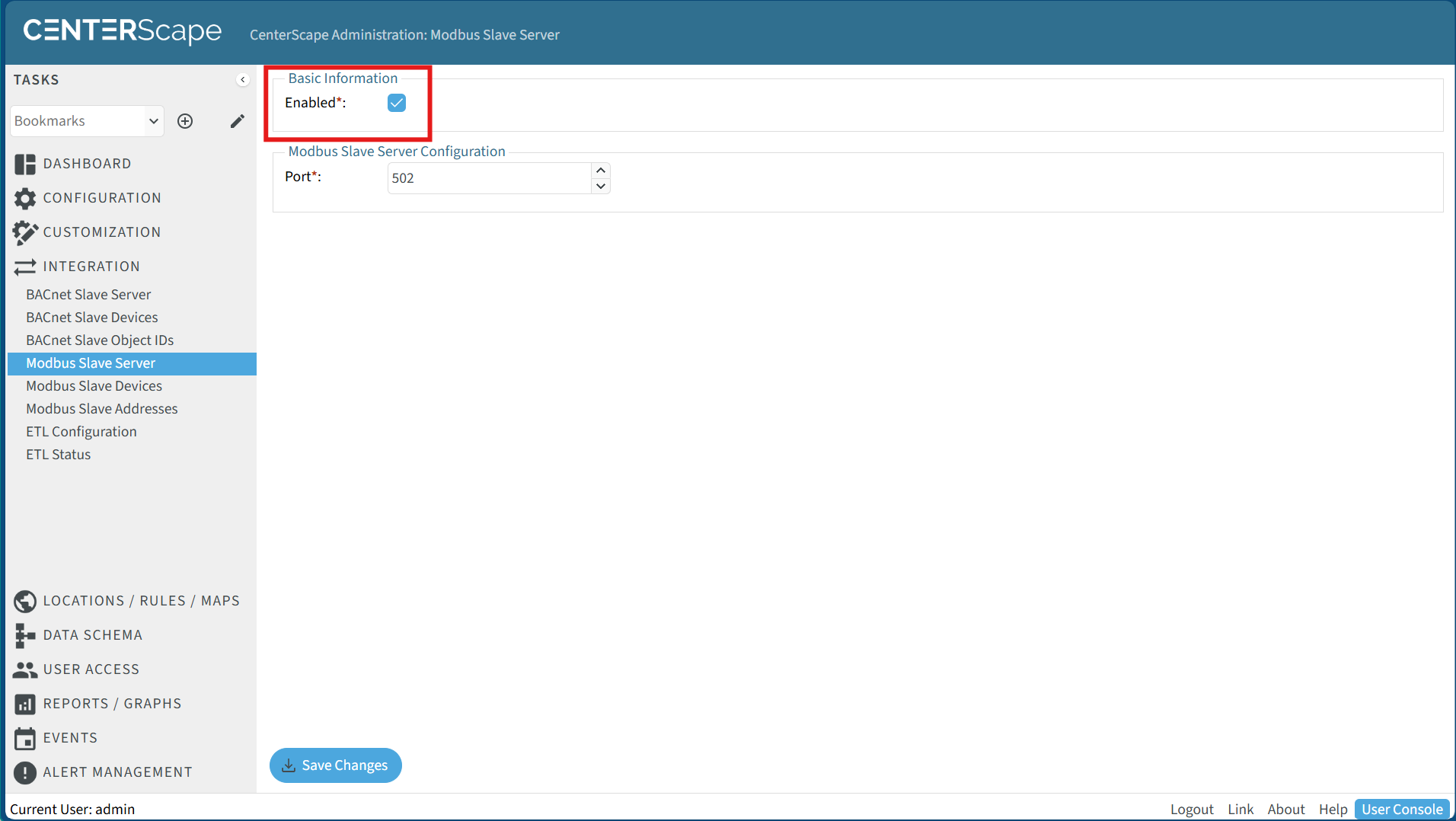
- Enable Modbus Slave Server By default Modbus is not enabled in CenterScape. To enable MODBUS go to the administrative console and select Integration->Modbus Slave Server. The default modbus standard port is 502 but this can be changed to any open port as long as the modbus consumer can support a non standard port. Check the Enable checkbox and click the Save Changes button to enable the Modbus Server.
-
Configure Modbus Slave Device
In the admin console select Integration->Modbus Slave Devices. Click the new button above to configure a new modbus slave device. A Modbus Slave devices is a collection of Modbus addresses.
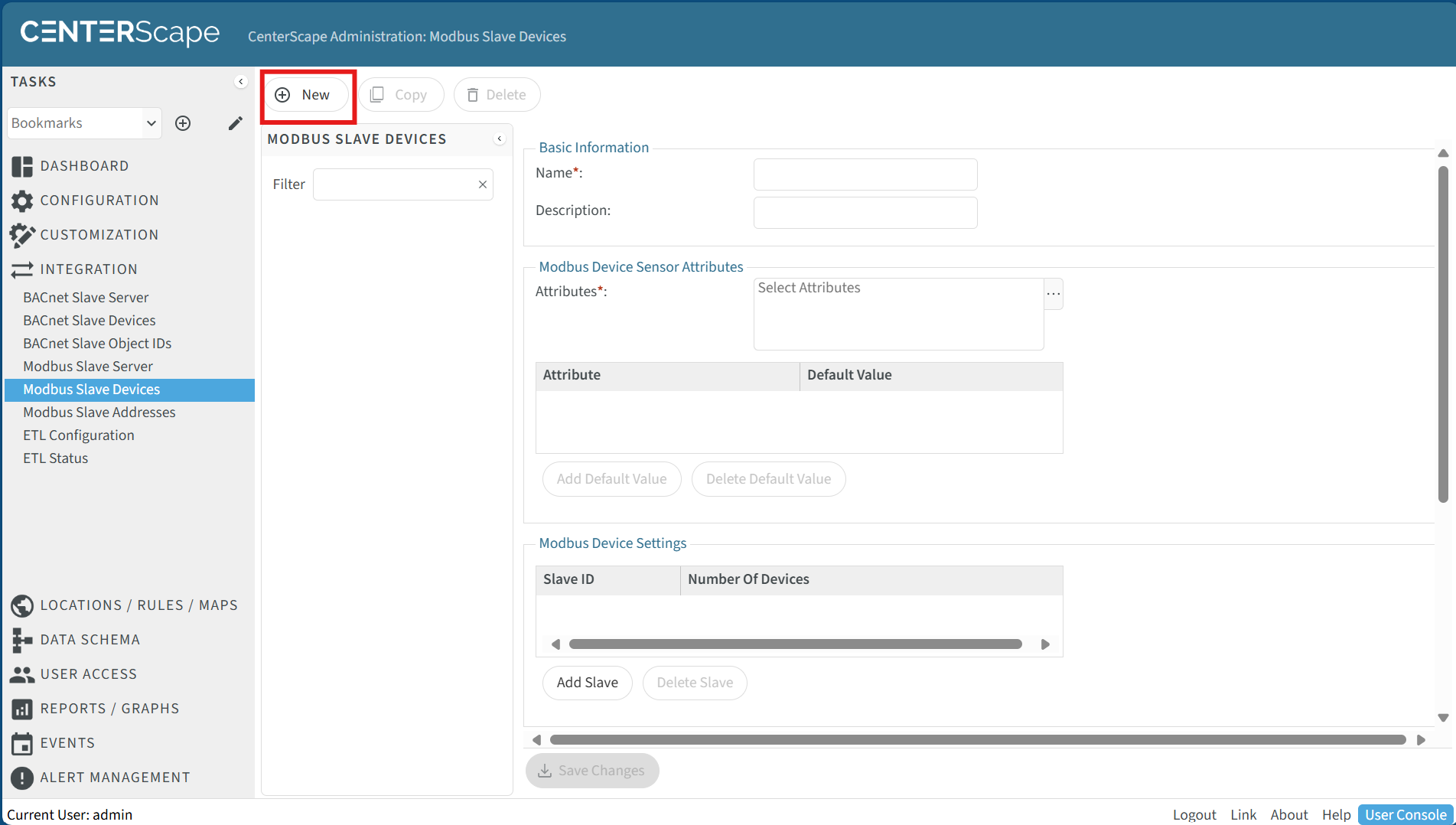
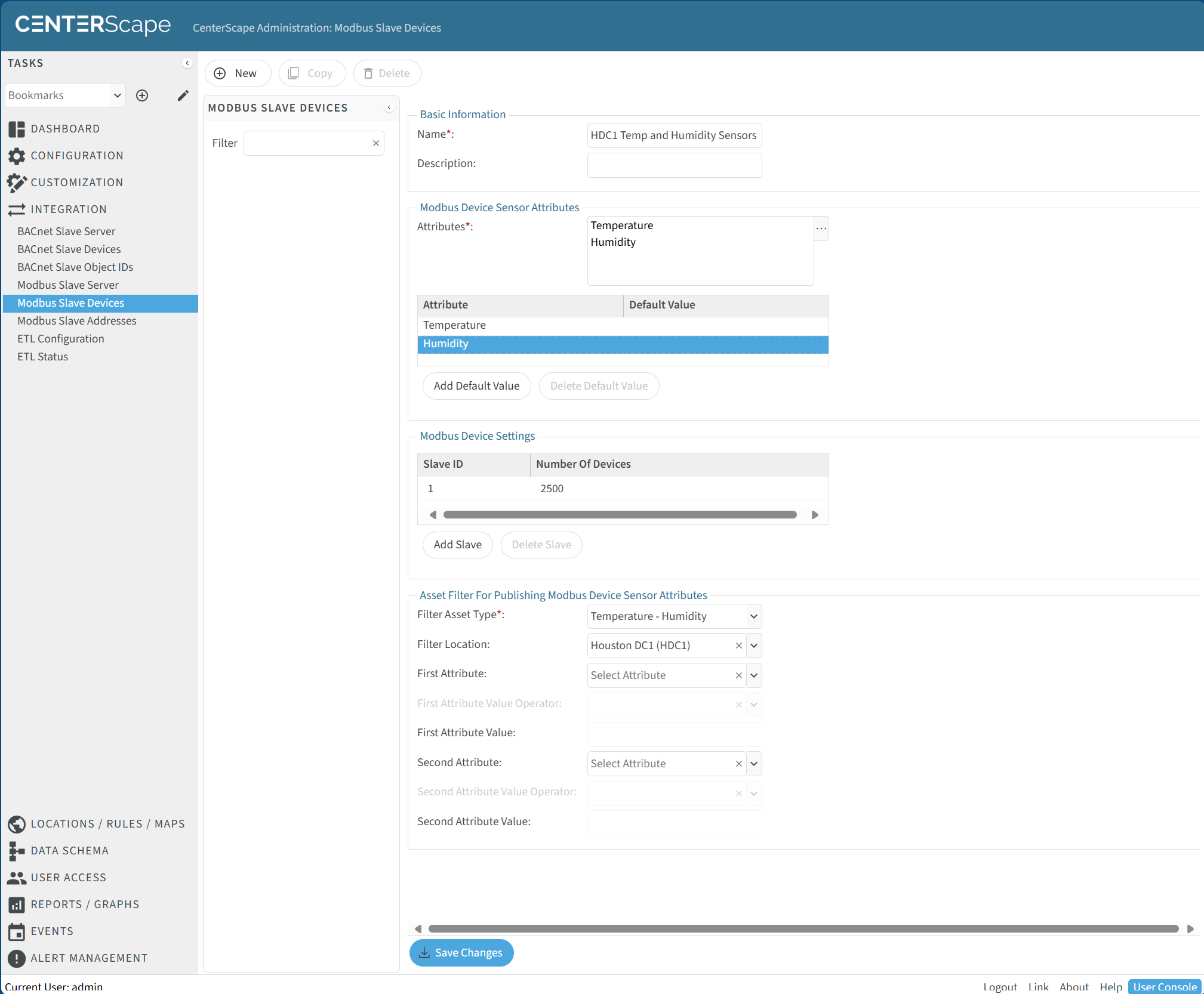
The Name for the Modbus Slave Device should describe its function. A description can be added for additional details on how the Modbus Slave is configured or used. The Attributes in Modbus Devices Sensor Attributes are the specific attributes that will be published on the Modbus Slave. In this case Temperature and Humidity is chosen. A default Vaule is used if the sensor value is currently NULL. This is optional as some Modbus consumers cannot handle Null values. A Null value is possible if the sensor times out.
Click on "Add Slave" and select "1" if it is the first Slave Device. Any integer between 1 and 247 can be used but best practices recommend starting at 1 and incrementing by 1 for each additional Slave Device added. Finally for Asset Filter in this example the Filter Asset Type is set to Temperature - Humidity. and the Filter Location is set to Houston DC1 (HDC1) to limit the sensors published in the slave device to the ones located in the Houston Data Center. Click Save Changes to finish the configuration.
-
Export Slave Information
After the Slave device is created the Modbus addressing is defined. To view the addresses in the Admin Console go to Integrations ->Modbus Slave Addresses and select the Modbus Slave from the list of available Modbus Slaves.
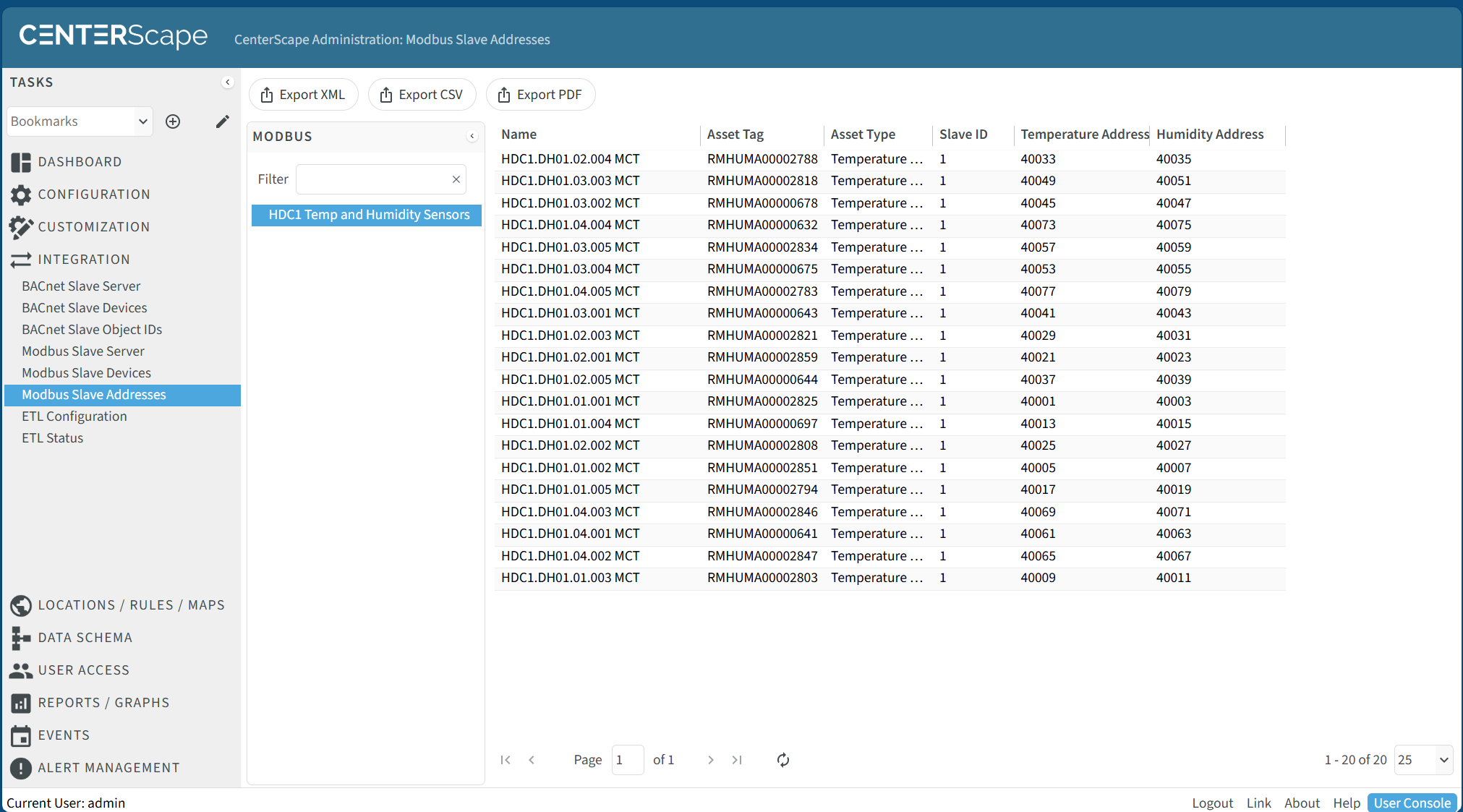
Clicking the Export CSV will generate a file that contains the list of the Modbus Slave addressing that will include the name of the sensors and each address point with its corresponding attribute. A sample of that file is available here.
Notes about Modbus addressing
-
All numerical (Integer, float, percent) attributes are published as 32 bit float Big-endian. The values will span two consecutive 16 bit register IDs. Temperature as well as all other convertable values will be in metric on this interface.
-
All boolean attributes will be a 16 bit signed value that occupies one register. Below is a mapping of various boolean presentation labels to Modbus presentation data
| Displayed Value in CenterScape | Presented value in Modbus |
|---|---|
| Open | 1 |
| Closed | 0 |
| Dry | 0 |
| Wet | 1 |
| No | 0 |
| Yes | 1 |
*Modbus does not support text and cannot be used to monitor text based values.
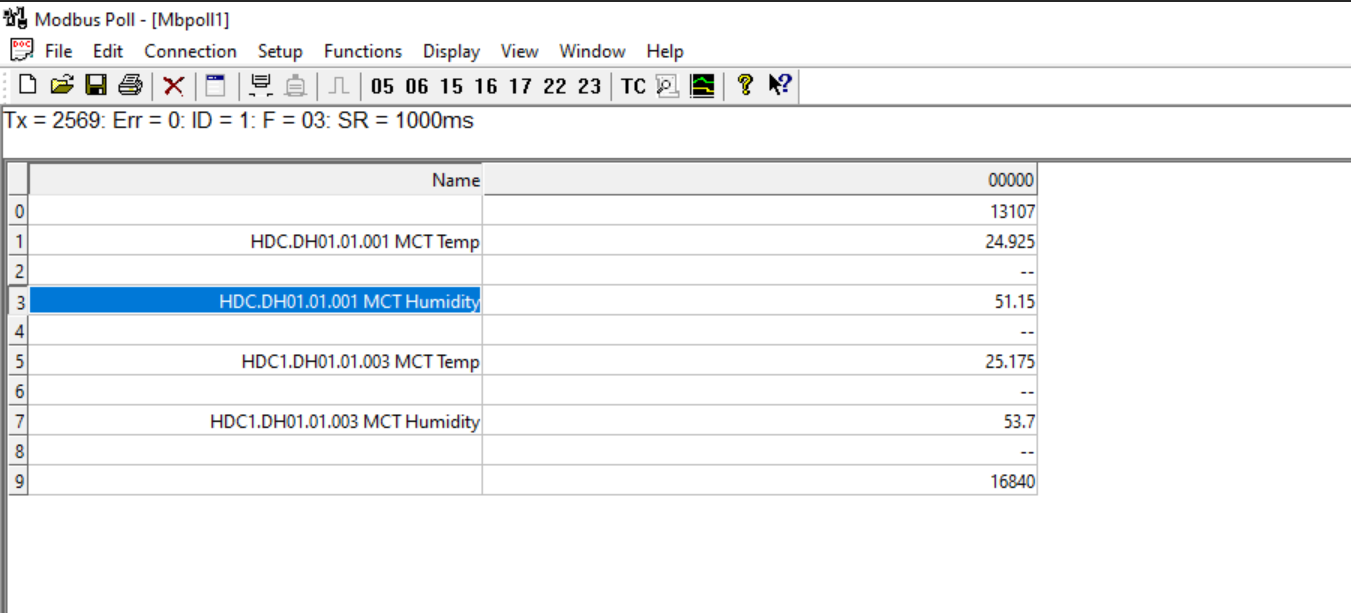
Below is a screenshot of Registers in the 4000-4009 using a software package called Modbus Poll. The mapping in the addresses corresponds to sensors in register list.
-
When CenterScape is on Linux a port remapping must be done to support port 502 or non-root access needs to be allowed to bind to ports below 1024
-
When using Windows, firewall rules must allow TCP on port 502 or whichever port is chosen for Modbus
-
Modbus cannot use any port that CenterScape or any other application is bound to on the CenterScape host
Modbus Addressing Changes
When a slave is configured all the addresses for sensors will be assigned and will not change unless the following conditions have occurred.
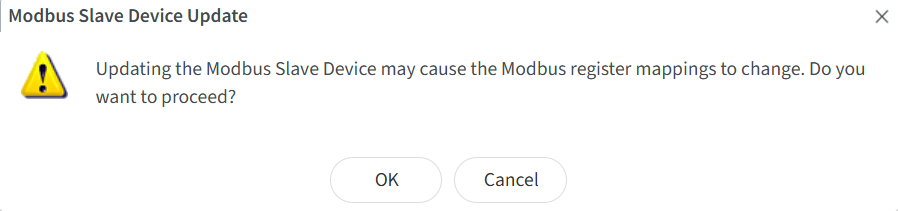
- Editing the definition of the Slave will cause a re-enumeration of all addresses withing the slave id. A warning will be given on the UI if this is attempted.
- Deleting a sensor will remove it from the address mapping
- Modifying a sensor so that the slave filter no longer matches will remove the sensor from the address mapping
- New Sensors that are added or existing sensors that are modified to match the Slave Filter will be given the lowest numerical available address, which may have been used by a sensor previously removed